I have moved my task list and my notes between apps more times than I would like to admit, and almost every painful moment came from rushing the switch. The tools themselves are rarely the problem. The problem is that a migration is a data project wearing the costume of a fresh start, and if you treat it like a fresh start you tend to lose things quietly, in ways you only notice weeks later.
Decide whether you should move at all#
Before any export, be honest about why you are switching. A new app feels productive precisely because it is empty and tidy, and that feeling wears off in about a week. If the real problem is that your current system is messy, migrating will faithfully carry the mess across and add formatting damage on top.
Move when there is a concrete capability you cannot get where you are: a database view you genuinely need, offline access that actually works, a pricing change you can't stomach, or a team standardizing on one platform. Don't move because a screenshot looked calm. I have twice migrated back after realizing the old tool was fine and I was just bored.
Take a full backup you can actually restore#
The single most important step happens before you open the new app at all. Export a complete backup of your current data and confirm you can open it independently.
- Use the fullest export format available. Most tools offer more than one. A Markdown or plain-text export keeps your writing readable forever; a JSON or database export preserves structure like tags, dates, and relationships. When you can, grab both.
- Include attachments. Images, PDFs, and file uploads are frequently stored separately and are the first thing to vanish. Check that your export actually contains them, not just links pointing back into the app.
- Open the backup somewhere neutral. Unzip it, read a few files in a text editor, open the folder structure. If you can't make sense of it without the original app, treat that as a warning rather than a comfort.
Store this backup somewhere outside both apps. A dated folder on your drive plus one copy in cloud storage is enough. You are not being paranoid; you are buying yourself the ability to undo.
Watch for the silent losses#
Exports rarely fail loudly. They fail by dropping the things that live between your content: internal links between notes, task recurrence rules, comments, version history, and metadata like created-on dates. Make a short list of what matters to you and check for each one specifically. If your recurring tasks or your backlinks don't survive the export, you want to know now, while the old system is still intact.
Map the old structure to the new one#
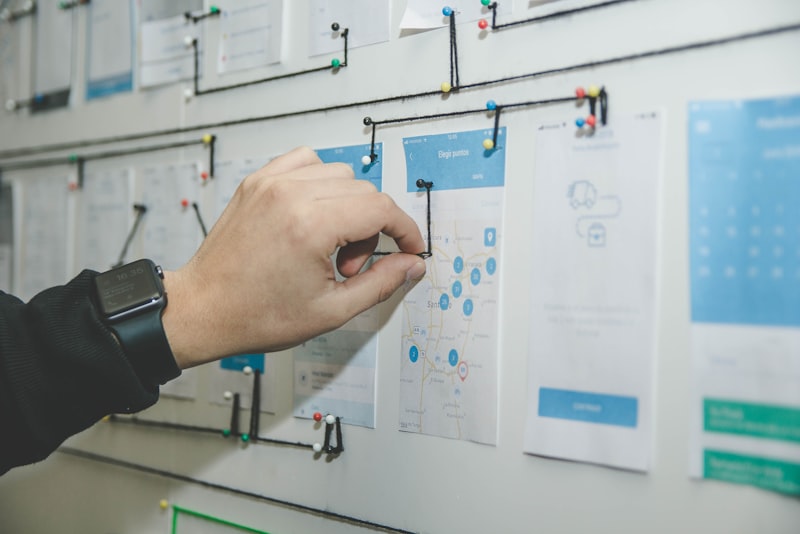
This is the step people skip, and it is the one that saves you. Every app has its own idea of how work should be organized, and importing without a plan means forcing your old shape into a new container badly.
Spend an hour writing down how your current structure maps onto the new tool. Concretely:
- List your top-level containers — notebooks, projects, areas, whatever you call them.
- Find the equivalent in the new app. Sometimes it is one-to-one. Often it isn't: folders become databases, tags become properties, nested pages become separate items.
- Decide the awkward cases deliberately. If your old app had tags and the new one has folders only, you have to choose how tags collapse. Make that decision on purpose instead of letting an importer guess for you.
A common trade-off worth naming: rich structure versus portable text. Databases, linked fields, and custom properties are powerful, but they are also the parts least likely to survive your next migration. If long-term durability matters to you, lean toward structures that degrade gracefully into plain text.
Run a small pilot before the full move#
Never import everything on the first attempt. Pick a representative slice — one project, or twenty notes that include your messiest formatting — and migrate just that.
The pilot is where you discover the real behavior of the importer:
- Do nested bullet lists keep their indentation, or flatten?
- Do checkboxes arrive as tasks, or as literal text characters?
- Do headings, code blocks, and tables survive, or turn to soup?
- Do dates land in the right field, or get dumped into the body?
- Do links between items reconnect, or point to nowhere?
Fix your process based on what the pilot shows you. Maybe you need to clean up formatting in the source first, or convert the export to Markdown as an intermediate step, or import in smaller batches. It is far cheaper to learn these lessons on twenty notes than on two thousand. I have thrown away a bad first import and redone it entirely more than once, and it was always the right call.
Prefer boring, well-trodden import paths#
If the new app has a native importer for your specific old app, try that first, since someone has already solved the common breakages. If it only offers a generic Markdown or CSV import, that is often more predictable anyway because you control the intermediate file. Be cautious with third-party migration utilities: some are excellent, but you are handing your entire dataset to a tool you can't inspect. Read what it does, and never point it at your only copy.
Do the full migration, then verify#
Once the pilot looks clean, run the full import. Then resist the urge to declare victory. Verification is a real step, not a glance.
- Spot-check counts. Roughly how many notes or tasks did you have? Does the new app show a similar number? A large mismatch means something got dropped or duplicated.
- Check your most important items by hand. Open the ten things you actually rely on and confirm they are correct and complete.
- Search for a few known phrases. If you can find text you know exists, your content and the search index both survived.
- Look at the edges. The oldest items, the ones with attachments, the ones with unusual formatting — problems cluster there.
If you find duplicates, deal with them immediately. Duplicates are the most common import artifact, and they multiply confusion the longer they sit.
Keep the old system alive but frozen#
Here is the discipline that separates a calm migration from a stressful one: do not delete the old app. Set it to read-only in your own head. Stop adding new things there, but keep it available.
For at least a few weeks, and ideally a full monthly cycle so that recurring and end-of-month items get exercised, run on the new system while the old one waits untouched in the background. When you inevitably discover that one project didn't come across, or a task lost its due date, the source of truth is right there. Only once you have gone a meaningful stretch without needing to look back should you archive the old account, and even then, keep that cold backup you made at the start.
Avoid the trap of running both systems actively for months. That is not safety, it is two half-maintained systems, and you will trust neither. The old app is a reference you can check, not a second place you keep working.
A realistic timeline#
For a personal setup, a sane rhythm looks like this:
- Day one: export, back up, and verify the backup opens.
- Day one or two: map your structure and run the pilot.
- Later that week: do the full import and verify it.
- The following weeks: live in the new app, old one frozen.
- After a month of confidence: archive the old account, keep the backup.
Team migrations stretch longer and need one more thing: a single person who owns the mapping decisions, so that everyone's data lands in the same shape instead of fifty personal interpretations.
Conclusion#
A good migration is unglamorous on purpose. Back up first, map before you import, prove the process on a small batch, verify honestly, and let the old system sit frozen until the new one has earned your trust. Do those five things and switching apps stops being a leap of faith and becomes what it should be: a routine data move you can undo at any point. The new tool will feel exciting for a week regardless — the goal is to still have all your data when the excitement fades.